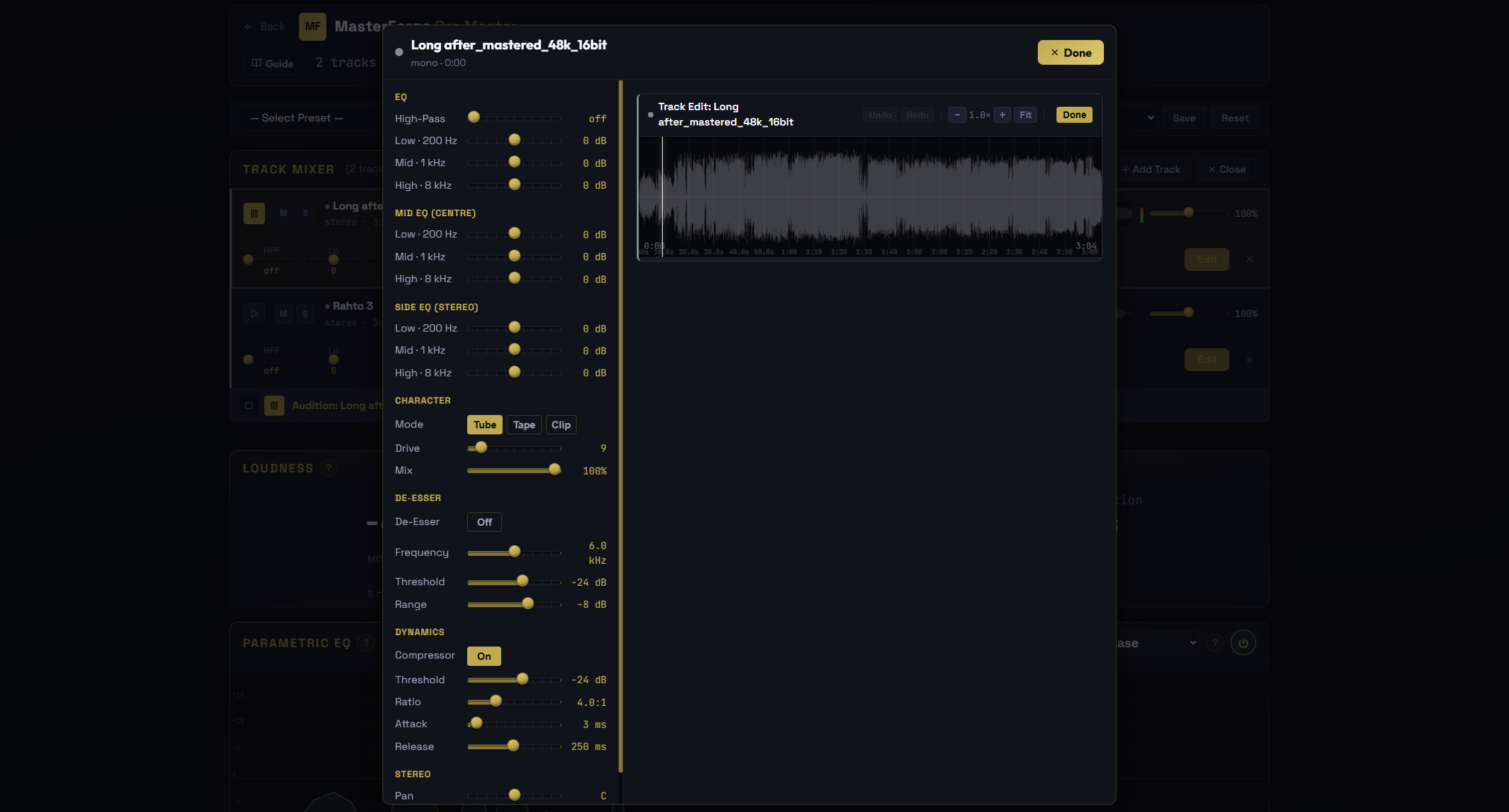
If you have your song as separate stems, you no longer have to master them as one flattened mix. Pro Master's multi-track stem mixer now gives every stem its own full-screen editor. Click Edit on any stem and it opens with the waveform on one side and a complete channel strip on the other, so you can finish each part on its own before it sums into the master.
A complete channel strip per stem
Each stem gets the tools you would reach for on a real console channel. A High-Pass filter and a 3-band EQ for quick cleanup and tone. An independent Mid/Side EQ to shape the centre and the sides separately, so you can de-mud a bass-heavy centre or add air to the sides without touching the other. Character saturation with Tube, Tape, and Clip modes plus Drive and Mix, for the analog warmth and glue that raw AI stems often lack. A De-Esser to tame harsh sibilance on vocals and cymbals. A full Compressor with Threshold, Ratio, Attack, and Release. And Stereo pan and width to place and size the stem in the image.
See what each part is doing
Every stem strip shows a live level meter and a gain-reduction readout while it plays, so you can watch a compressor work or spot a stem that is too hot at a glance. Set up one stem, then copy its settings and paste them onto another to start from the same place instead of dialling it in twice.
What you hear is what you export
When the balance is right, Bounce to Master renders every stem through its own chain exactly as you previewed it, then hands the summed result to the full Pro Master chain. The mixer strips are larger and easier to read in this release, and opening a stem's editor no longer glitches the list below it.