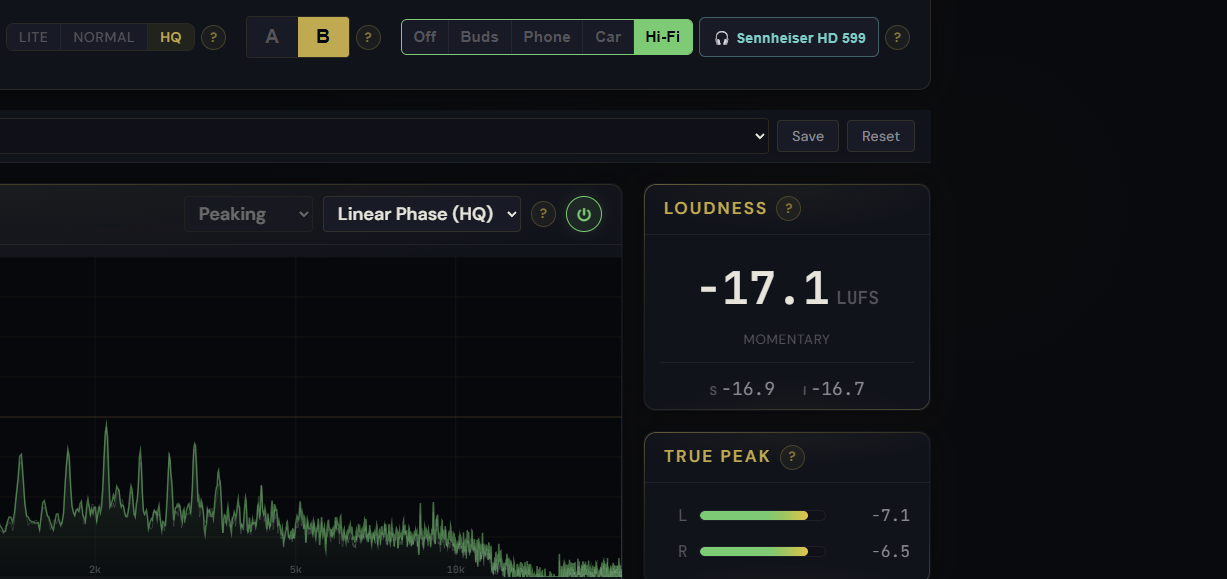
You mastered it on your headphones and it sounded perfect. Then you played it in the car and the top end was harsh, or on a phone speaker and the bass vanished. This is the oldest problem in mastering: every pair of headphones and every speaker has its own colour, and the one you work on quietly shapes every decision you make. Headphone Mode is a new Monitor control in Pro Master that lets you hear those other systems, so you catch a translation problem before you export, not after a listener does.
Two steps: your headphones, then the room
Headphone Mode works in two stages. First you tell it what you are listening on. Pick your headphones or earbuds from a searchable list and Pro Master corrects them toward a neutral reference, so what reaches your ears is honest instead of coloured. Then you pick a target to check against: Earbuds, Phone speaker, Car, or Home Hi-Fi. Pro Master simulates that system in real time, and you hear your master roughly the way a listener on that device would.
Why correcting your own headphones matters
Correcting the thing you trust sounds backwards, but it is the root of the problem. Say your headphones have a dip in the treble around 9 kHz, as many do. You never hear that region clearly, so you push the highs up to compensate, and the master comes out too bright everywhere else. Neutralising your own headphones first removes that hidden bias, so the tonal choices you make actually hold up on other systems. Your device is remembered between sessions, so you set it once and forget it.
It only changes what you hear
Everything in Headphone Mode is monitor-only. It never touches your exported file, and every meter keeps showing the real master: the LUFS reading, the spectrum, and the report all read the true signal, not the simulated one. Switching profiles is loudness-matched, so a brighter or darker system does not simply sound louder and trick you into thinking it is better. And it is off by default, so a fresh session plays your master exactly as it is until you choose a profile.