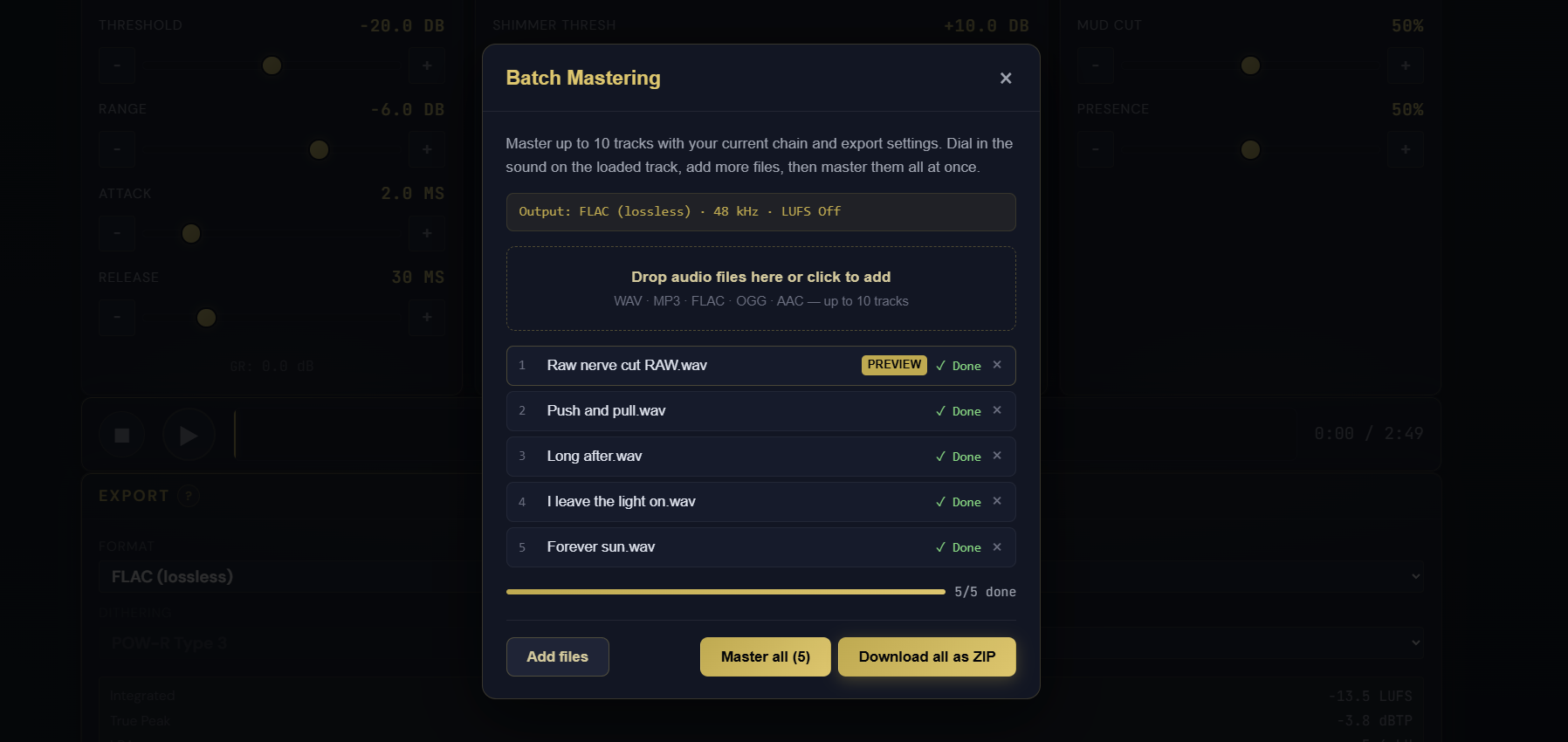
Mastering a single track in Pro Master is fast. Mastering an EP or an album, one file at a time, was not. Batch mastering closes that gap: tune your chain once, then let Pro Master render the whole set with it. MasterForge Starter has had batch for a while, and now the Pro tier does too, with the full Pro chain behind it.
Tune one, master many
Load a track and dial in your sound the way you always do: EQ, compression, saturation, stereo, limiter, the lot. When it sounds right, click Batch master in the Export panel. Your loaded track sits at the top of the queue as the preview, and you add up to nine more files by dropping them in or browsing. Everything in the batch is mastered with the exact chain you just tuned, so the whole release stays consistent.
What you get
- Up to 10 tracks per batch, rendered one after another.
- The same export settings you already chose: format, sample rate, and LUFS target apply to all.
- Live per-track progress, so you can watch the batch work through the queue.
- A file that fails to decode does not stop the rest; it is flagged and the batch carries on.
- One Download all as ZIP button delivers every finished master together.
The same engine, just more of it
Batch mastering is not a separate, lighter process. Each track runs through the same offline render that powers a normal Pro Master export, so a batched master is bit-for-bit what you would get exporting that file by hand. It is the full engine, pointed at your whole queue. Batch mastering is part of the Pro tier and available to signed-in Pro members.