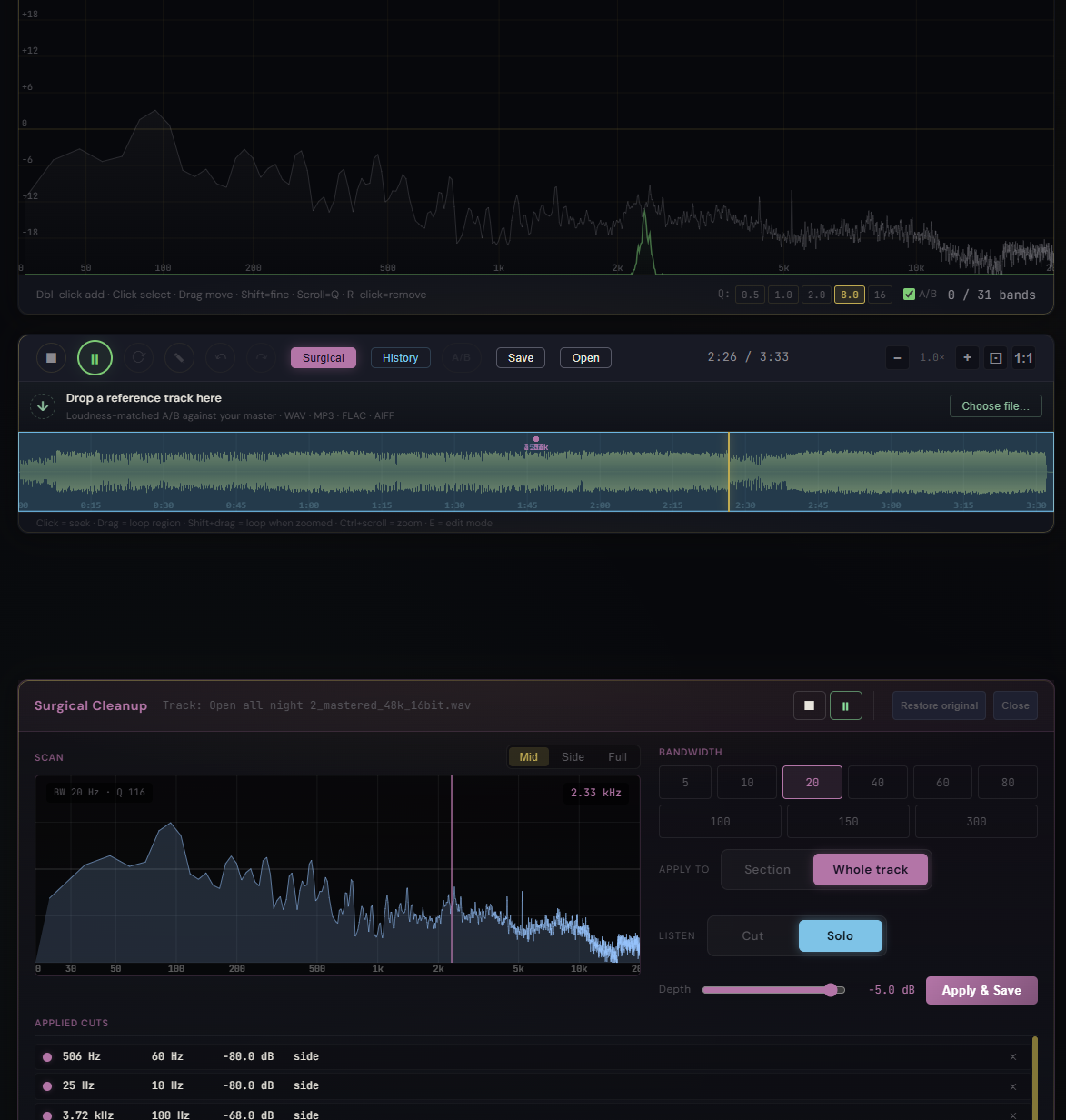
AI-generated tracks often hide a thin metallic shimmer or a buzzy resonance somewhere in the upper-mids. You can hear that something is off, but finding the exact frequency by ear takes patience, and a wide EQ cut blurs more than it fixes. Surgical Solo mode turns that hunt into a routine: listen to just the band you are targeting, sweep until the offender is loudest, then commit a narrow cut at exactly that point.
What it is
Solo is a new mode inside Pro Master's Surgical Cleanup dock. Where the existing Cut mode previews a peaking notch on the master output, Solo flips the listening: master goes silent and you only hear a bandpass-filtered slice of the audio around the scanner frequency. Move the scanner, the slice moves with it. When the slice gets loudest, that is the frequency that was sitting too proud in your mix.
How to use it
- Open the Surgical dock from the main waveform toolbar
- Pick a bandwidth (60 Hz is a good start, narrow to 20 Hz once you are close)
- Hit Solo (the cyan pill in the Listen group)
- Drag the scanner across the spectrum. The offending resonance will jump out as the loudest band
- Narrow the bandwidth and fine-tune until the resonance is pinpointed
- Toggle Cut to preview the notch on the full mix at the depth you have set (now up to -80 dB)
- Press Apply & Save to bake the cut into the buffer. It shows up in the History panel and the Applied Cuts list inside the dock.
What else changed
The Surgical dock got a small polish pass alongside Solo: Section vs Whole track scope so you no longer need to paint a region when the problem runs through the whole mix, depth extended to -80 dB for full kills, the commit button is now Apply & Save for clarity, and the dock has its own Play / Stop right in the header so you do not have to scroll back to the main toolbar while focused on surgical work.
What it affects
Bandpass listening is the fastest way to find isolated tonal problems in any track, but it is especially useful for AI-generated material where shimmer, sibilance, and resonant artifacts hide in narrow windows. Combined with -80 dB depth and per-track scope, you can completely remove the audible artifact without smearing the surrounding music. The cut is applied offline, baked into the source buffer, and rolled back at any time via Restore original.