What it is
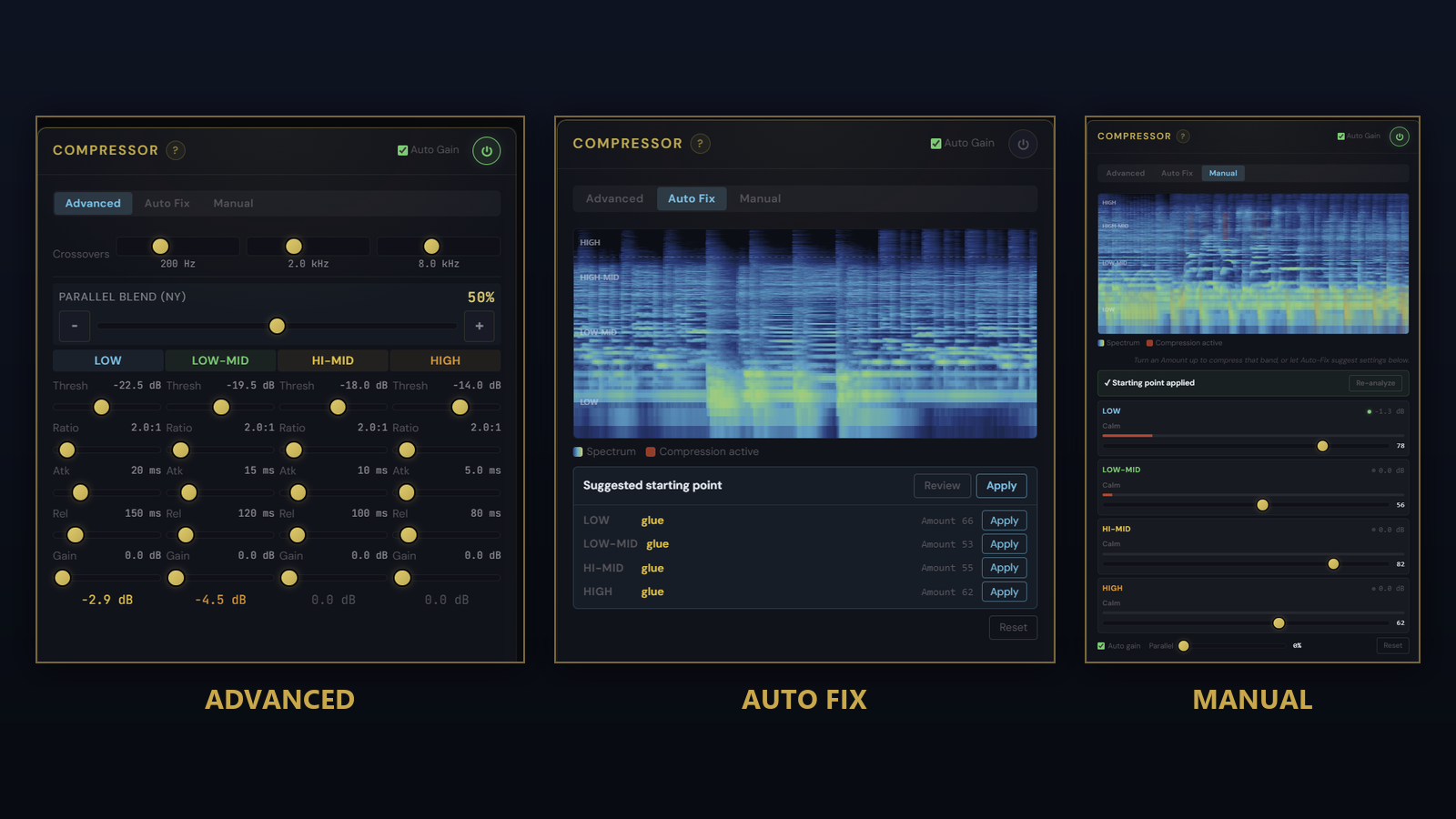
A 4-band compressor with adjustable crossovers, per-band threshold / ratio / attack / release / makeup, an auto-makeup mode, and a Parallel Blend macro for New York-style parallel compression without wiring up a bus by hand. It gives you three ways in, picked from a toggle at the top, so you can go as deep or as quick as the track needs.
Three ways in
- Advanced is the full panel: every band, every parameter, nothing hidden
- Auto Fix analyses your loaded track and applies a tasteful multiband starting point in one click, with a live spectrogram showing where compression is acting
- Manual gives you one Amount slider per band over that same spectrogram, with a red overlay showing the gain reduction in real time as the music plays
How to use it
- Pick a mode from the toggle: start with Auto Fix, refine in Manual, or go straight to Advanced
- Set the 3 crossover points (defaults 200 Hz / 2 kHz / 8 kHz) to define the 4 bands
- Set per-band threshold and ratio for the amount of compression that band should see
- Tune attack and release per band: fast attack catches transients, slow release lets the band breathe
- Enable Auto-Makeup if you want output level to track input without manual gain matching
- Sweep Parallel Blend (0-100 %) for a parallel compression mix: 0 is fully compressed, raise toward 100 to blend in up to 50% dry for parallel-style punch
What it affects
Per-band dynamics control. The 4 bands target bass / low-mid / high-mid / treble independently, which is ideal for taming a hot lead instrument without squashing the rest of the mix, controlling kick and bass tightness without touching the cymbals, or evening out a vocal that sits in a specific frequency range. The live spectrogram and gain-reduction overlay mean you can see the treatment, not just hear it, and Parallel Blend adds glue without losing transients.