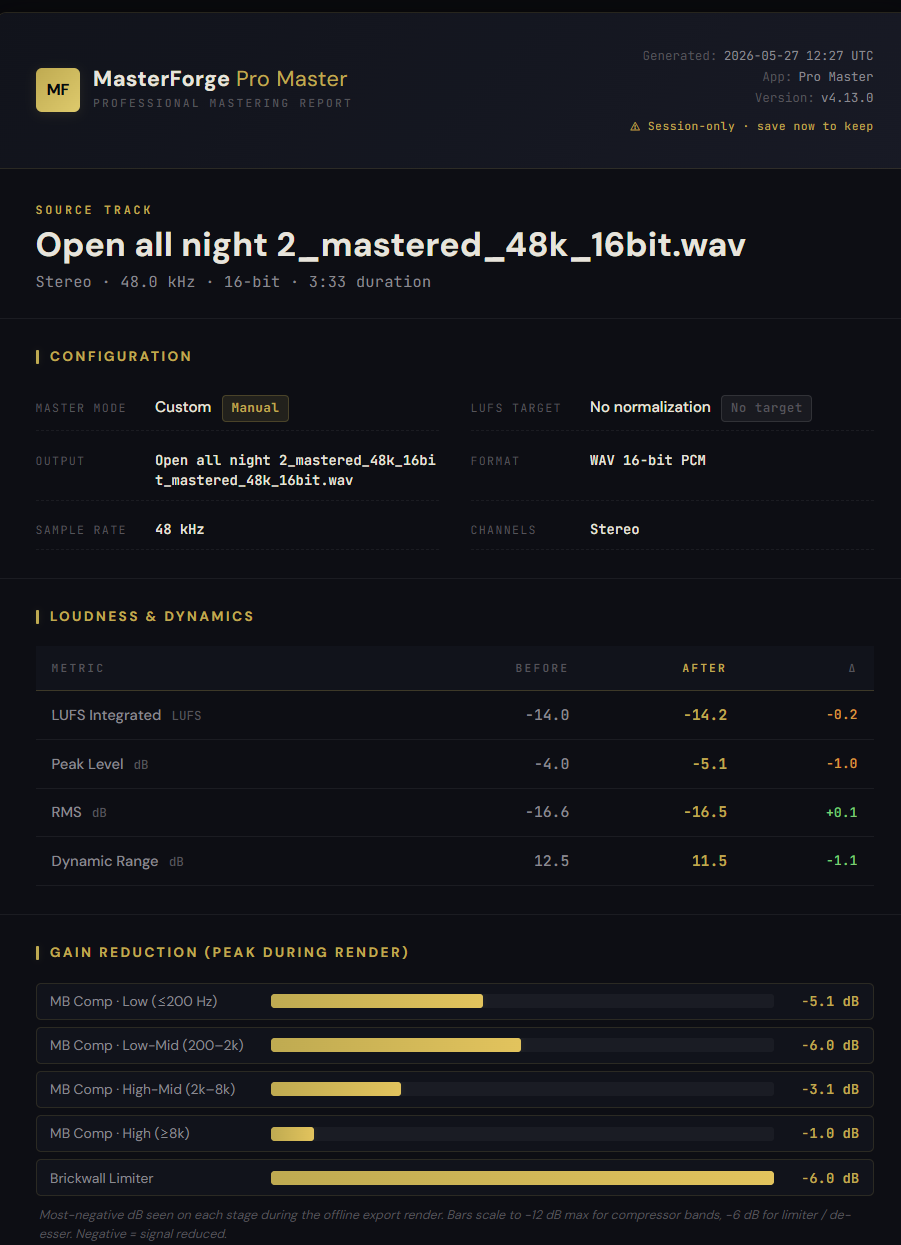
What it is
A single continuous standalone HTML report generated on every export, openable in any browser tab and printable to PDF (page count depends on content). It runs through about nine sections: Source Track, Configuration, Loudness & Dynamics (before / after Integrated LUFS, True Peak, LRA, RMS, Crest factor), Frequency Spectrum (a 1/3-octave smoothed overlay of original vs. mastered), Processing Pipeline, Gain Reduction per stage (per-band MBComp, brickwall limiter, de-esser), Parametric EQ Response, Stereo Correlation, and Saturation (mode and drive).
How to use it
- Click Export in the export panel — the export modal includes a "View Mastering Report" button
- Click the button to open the report in a new tab
- Browser's Print → Save as PDF turns it into a portable PDF (clean black-on-white print stylesheet included)
- Report data is session-only; nothing is stored on MasterForge's servers
What it affects
Every export ships with the report at no extra step. Useful for client deliverables (the report explains what you did and why), archival of the exact settings that produced a master, and learning what changed before / after on your own mixes. The same report format powers the manual mastering service deliverable, so the diagnostic quality matches what Petri sends out professionally.