What it is
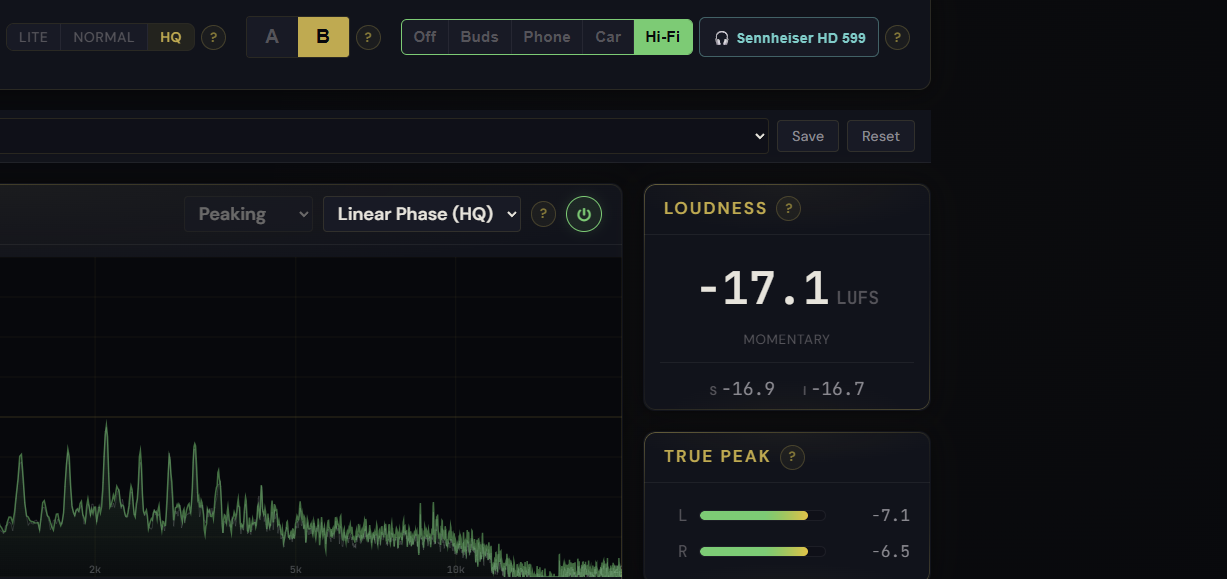
A translation check you listen to, not a processor. Headphone Mode adds a Monitor control that simulates how your master will sound on other systems, so you can catch a problem before you export. It works in two stages: first it corrects your own headphones toward a neutral reference so what you hear is honest, then it simulates a target system (Earbuds, Phone speaker, Car, or Home Hi-Fi) so you can check the master where real listeners will play it. It is the fix for the classic trap of a mix that sounds great in your cans but harsh in the living room.
How to use it
- Open the Monitor control in the header and pick your headphones or earbuds from the searchable list (the choice is remembered between sessions)
- With your device neutralised, choose a target to audition: Earbuds, Phone speaker, Car, or Home Hi-Fi
- Switch between targets to hear where the master gets too bright, too dull, or too wide, then go back to your chain and fix it
- Return the control to Off to hear the true, uncoloured master again
What it affects
Nothing in your file. Headphone Mode is monitor-only: it colours what you hear but never the exported master, and it is structurally kept out of the render, so an export is bit-identical whether the Monitor is on or off. Every meter stays honest too, the LUFS reading, the spectrum, and the mastering report all measure the real signal, not the simulation. Switching profiles is loudness-matched so a brighter or darker system does not just sound louder, and the whole feature boots off by default. If you want to compare against a real commercial track instead of a simulated system, the Reference Track A/B sits right below the waveform.