What it is
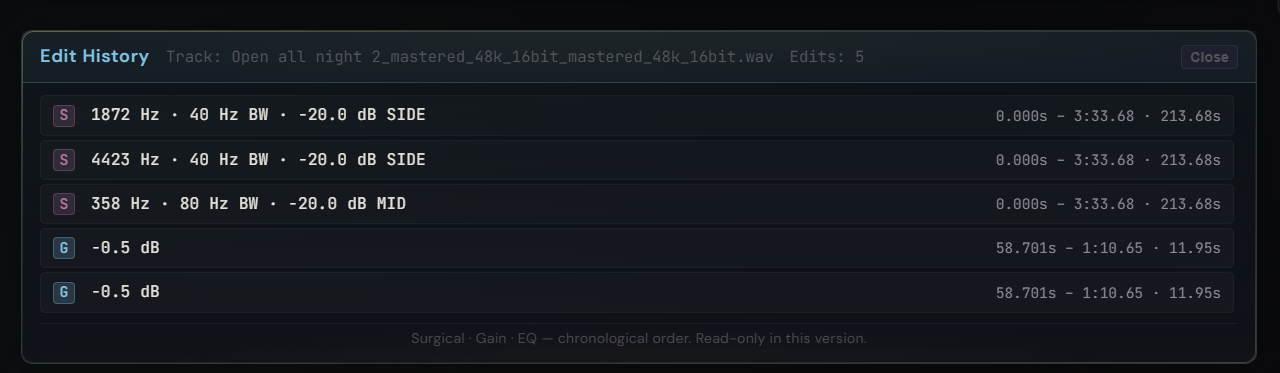
A unified, read-only timeline of every edit applied to the active track: surgical cuts, gain attenuations on the main waveform, and region EQ moves in the Track Edit view. One chronological list with type, parameters, time range, and duration per entry. Replaces the scattered cyan / violet markers on the waveform with something you can browse.
How to use it
- Click History on the main waveform toolbar to open the panel
- Browse the chronological list — surgical cuts (S), gain edits, region EQ — with their parameters at a glance
- Undo (Ctrl+Z) and Redo (Ctrl+Y) work everywhere — they dispatch to whichever scope is currently active (Surgical dock open → undoes the last cut; Track Edit view → undoes the gain edit; otherwise → main waveform gain edits)
- Toolbar Undo / Redo buttons mirror the keyboard shortcuts and disable themselves with a clear tooltip when nothing is undo-able
What it affects
Replaces "what did I do to this track again?" with a readable list. Useful for retracing a long editing session, confirming a specific cut or edit was applied before exporting, or comparing two versions by undo-ing to a known state. Up to 50 undo entries per scope. Surgical cuts also have a per-track Restore original button in the dock that rolls every surgical edit back to the audio you loaded.
Go Pro, €9.99/mo →
Included in the Pro tier. Already subscribed? Open Pro Master.